
Introduction
Rescan satellite channels is a crucial process to restore missing TV signals or update your program guide. Whether you use DirecTV, Dish Network, or a free-to-air (FTA) satellite receiver, knowing how to refresh or manually scan channels ensures uninterrupted entertainment. In this guide, we’ll break down step-by-step methods for each type of service, share expert tips, and help you troubleshoot common issues—making your TV setup smoother and stress-free.
Table of Contents
- Rescanning Satellite Channels: What It Means
- DirecTV: Refreshing Your Receiver and Locals
- Refresh Receiver
- Add or Remove Local Channels
- Integrate OTA Locals
- Dish Network: Troubleshooting Missing Channels
- Free-to-Air (FTA) Receivers: Blind and Manual Scans
- General Steps
- Example on SuperBox Decoder
- Troubleshooting FTA Issues
- Best Practices and Tips for Satellite Channel Scanning
Rescanning Satellite Channels: What It Means
Rescanning satellite channels involves refreshing your receiver or performing a scan to detect available channels. For subscription-based services like DirecTV and Dish Network, rescanning often means resetting, refreshing, or reauthorizing the receiver. For FTA receivers, it can include blind scans, auto scans, or manual frequency scans. Proper rescanning ensures all available channels appear in your guide and reduces missing signals.
(Related Article on “Satellite TV Setup Tips”)
DirecTV: Refreshing Your Receiver and Locals
Unlike FTA systems, DirecTV channels are subscription-based. Rescanning mostly involves refreshing the receiver or managing local channels.
Refreshing the Receiver
- Log in to your DirecTV account at directv.com.
- Go to Account Overview > My TV Service > Manage Package > Manage Receivers.
- Click Refresh Receiver next to your device.
- Wait 5 minutes for processing. You can repeat up to 3 times.
- If unresolved, press the red reset button or unplug for 15 seconds and restart.

Add or Remove Local Channels
- Go to Account Overview > My TV Service > TV Package.
- Select Manage Local Channels to add/remove.
- Confirm selections and check ZIP code if locals are missing.
- OTA integration may require scanning via an antenna.
Integrate OTA Locals
- Connect an over-the-air antenna.
- Go to Settings > Sat & Antenna > Start Setup.
- Enter ZIP code and let the system scan OTA channels.
- Rescan monthly for updates.
Dish Network: Troubleshooting Missing Channels
Dish Network users often resolve channel issues with resets, reauthorization, or guide adjustments.
Steps to Restore Missing Channels
- Press Guide on the remote; select All Subscribed in options.
- Unplug the Hopper/receiver for 10 seconds, then reconnect.
- Log in to mydish.com > My Equipment > Wake Up Receivers.
- If still missing, contact Dish support or check tvpromise.com.

Free-to-Air (FTA) Receivers: Blind and Manual Scans
FTA receivers allow scanning of open channels without a subscription. Popular devices include SuperBox, MediaStar, and Qsat.
General Steps
- Delete existing channels: Menu > Channel Manager > Delete All.
- Access installation: Menu > Installation or Antenna Setup.
- Configure satellite and LNB:
- Select satellite (e.g., Astra 28.2°E).
- LNB Type: Universal, Frequency: 9750–10600, 22KHz: Auto/Off, DiSEqC: port as needed.
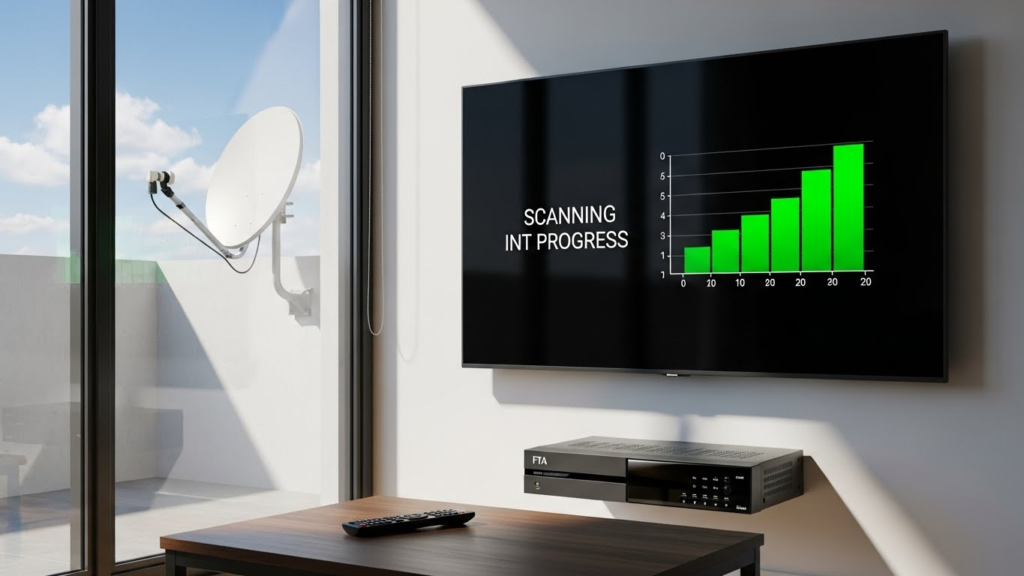
- Aim for 70%+ signal quality.
- Scan:
- Full satellite: Blind Scan or Auto Scan, FTA Only: Yes.
- Specific frequency: Add transponder details and scan.
- Save and organize channels; delete unwanted ones or set favorites.
Example on SuperBox Decoder
- Power on > Menu > Installation.
- Select satellite.
- Configure LNB.
- Choose Blind Scan > FTA Only > Start.
- Save scanned channels.
Troubleshooting FTA Issues
- No signal: Check dish alignment, cables, LNB.
- Missing channels: Use manual scan with known frequencies.
- Stuck decoder: Factory reset and rescan.
Best Practices and Tips for Satellite Channel Scanning
- Rescan monthly to catch updated channels.
- Keep receiver firmware updated.
- Use proper dish alignment tools for precise signal.
- Label favorite channels to avoid loss after rescans.
- Avoid unnecessary full rescans unless frequencies change.
(Read also: Guide on “Best Satellite Dish Alignment Practices”)